Security Overview
SyncNow provides robust security features to protect your data and ensure only authorized users can access sensitive information. This overview highlights the key components of SyncNow's security model, including user and group management, authentication providers, privilege management, and additional security measures.
👥 User and Group Management
SyncNow uses a comprehensive user and group management system to control access and permissions:
- Internal Users & Groups: Defined within the application for precise access control.
- Role-Based Access Control (RBAC): Privileges are assigned to groups, restricting access to specific areas and actions based on user roles and responsibilities.
- Scalable & Maintainable: Group-based privilege management simplifies onboarding and access adjustments as roles change.
🔑 Authentication Providers
SyncNow integrates with multiple authentication providers to enhance security and streamline user access:
- LDAP (Lightweight Directory Access Protocol): Seamless integration with existing directory services for centralized user management and enforcement of organizational security policies.
- Active Directory (AD): Allows users to authenticate with Windows domain credentials, leveraging AD security features such as password policies and account lockout.
- Entra ID (Azure Active Directory): Secure authentication for cloud and hybrid environments, supporting advanced features like multi-factor authentication (MFA), conditional access, and single sign-on (SSO).
🔐 Personal Access Tokens (PAT)
Personal Access Tokens are named credentials that allow you to authenticate API and MCP requests on your behalf — without using your password. Each user manages their own tokens from the Profile → Access Tokens tab.
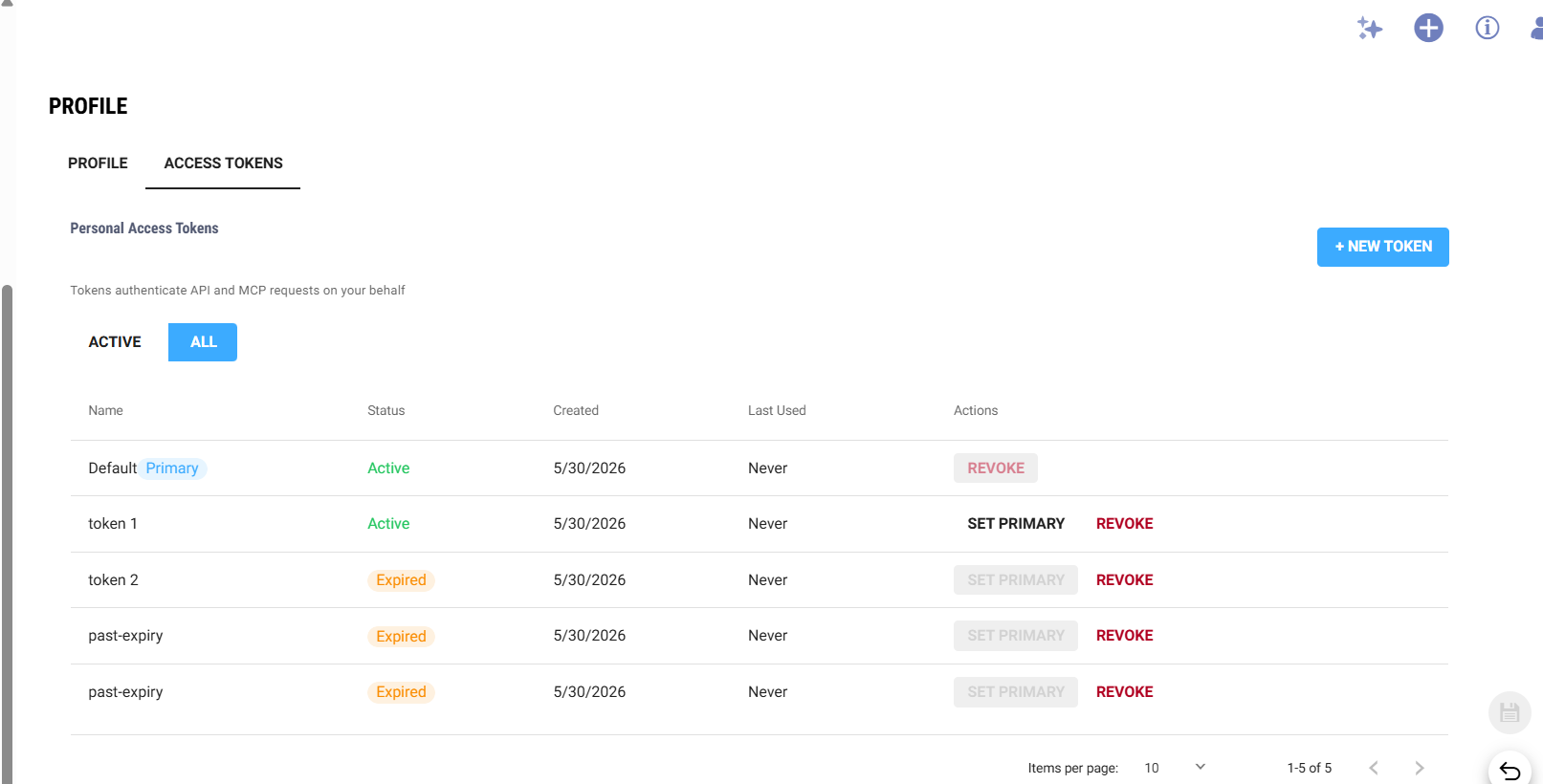
Creating a Token
- Navigate to your Profile and open the Access Tokens tab.
- Click + New Token.
- Enter a descriptive name (e.g. VS Code, CI Pipeline) and an optional expiry date and time.
- Click Create Token — the token value is displayed once only. Copy it immediately; it cannot be retrieved again.
Token format: syncnow_mcp_<32-character-hex>
Managing Tokens
| Action | Description |
|---|---|
| Set Primary | Promotes a token to primary status. The primary token is used as the HMAC secret for webhook integrations (GitHub, GitLab, Zendesk, etc.). |
| Revoke | Permanently deactivates a token. The next authentication attempt with that token is rejected immediately. The primary token cannot be revoked directly — promote another token to primary first. |
| Filter | Toggle between Active (non-expired, non-revoked) and All (includes expired and revoked history). |
Security Notes
- One-time exposure — the plain-text token is returned only at creation time and is never stored or returned again.
- Encrypted storage — tokens are stored AES-256 encrypted; only the encrypted form is persisted in the database.
- Expiry enforcement — expired tokens are rejected at authentication time. The UI flags them visually and excludes them from the Active filter.
- Multiple tokens — you can create multiple tokens for different tools or environments, making it easy to rotate or revoke individual ones without disrupting others.
- Webhook compatibility — the primary token supplies the HMAC signing secret used by connector webhook subscriptions. Changing the primary token requires updating any external webhooks that rely on it.
🛡️ Privilege Management
- Group-Based Privileges: Permissions are managed at the group level, not per user, ensuring scalability and easier administration.
- Granular Control: Define permissions for data access, administrative functions, and configuration settings.
🧰 Additional Security Measures
SyncNow employs several additional security practices to further protect your environment:
- Encryption: All sensitive data is encrypted at rest and in transit using industry-standard algorithms.
- Audit Logs: Detailed logs of all user activities provide visibility for monitoring, compliance, and forensic analysis.
- Session Management: Secure session handling prevents hijacking and ensures proper authentication and authorization throughout user sessions.
📋 Compliance and Standards
SyncNow is designed to meet industry standards and regulatory requirements:
- Regular Security Assessments: Ongoing audits and assessments help identify and mitigate vulnerabilities.
- Privacy & Compliance: SyncNow aligns with best practices for data privacy and security.
By combining strong authentication, granular privilege management, and comprehensive auditing, SyncNow ensures your organization's data remains secure and compliant.