Release 6.0 Notes
We're excited to announce SyncNow Version 6.0 — our biggest release yet. This version transforms SyncNow from a synchronization platform into an intelligent work system hub, with AI agents that let you query and manage your work systems using natural language, and expanded connector support including Xray test management for Jira Cloud.
🤖 Work System AI Agents
Ask questions about your work systems in plain English and get instant, cross-system answers — no JQL, no complex filters, no context switching between tools.
What you can ask:
- "Show me all critical bugs assigned to the backend team across Jira and Azure DevOps"
- "What's our team velocity over the last 6 sprints?"
- "Find all incidents not updated in the last 7 days"
The AI Agent understands your intent, queries the right systems, aggregates the results, and returns a formatted answer — in seconds.
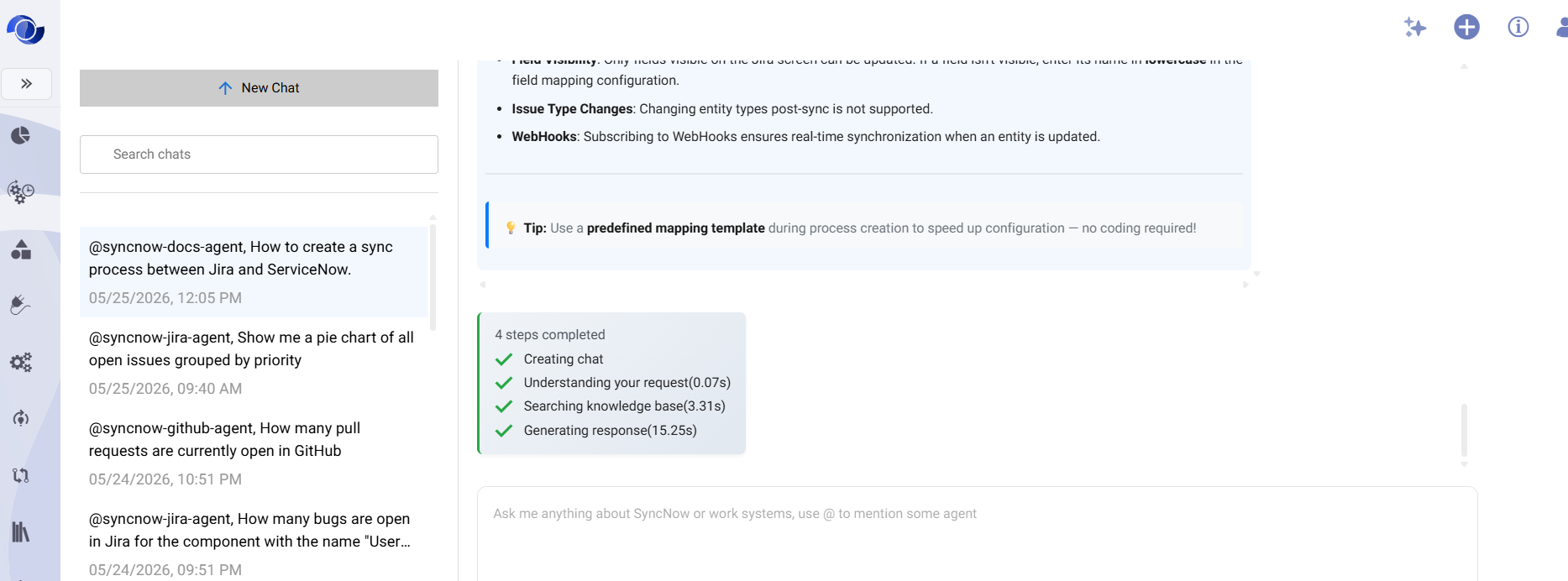
Key capabilities:
- Natural language queries across all connected work systems
- Cross-system aggregations and deduplication
- Time-in-status, velocity, and cycle time analytics
- Persistent chat history — return to any conversation at any time
- Available via the SyncNow web UI and the MCP protocol for integration with external tools
Learn more → Work System AI Agents
🧠 AI Knowledge Base
To deliver instant answers, SyncNow maintains an AI Knowledge Base — a continuously updated, searchable index of your work items from all connected systems.
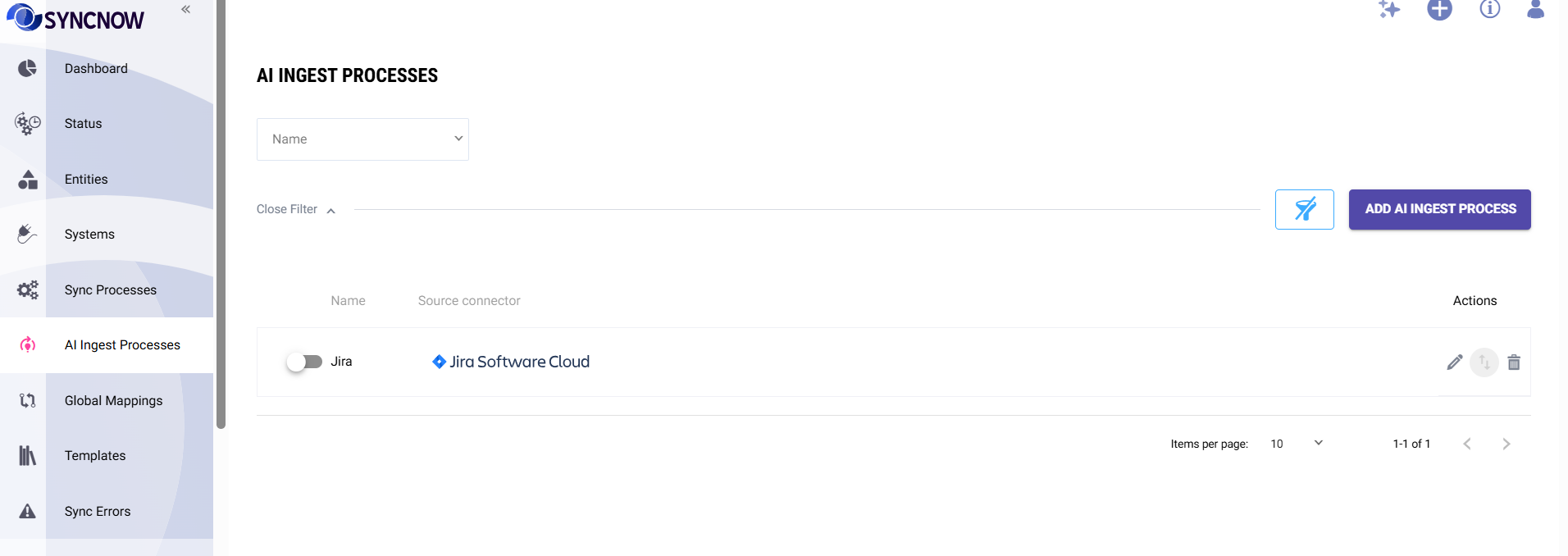
How it works:
- Real-time indexing — changes in Jira, Azure DevOps, Salesforce, and more are indexed within seconds
- Bulk Import — administrators can trigger a full import to populate or refresh the index on demand
- Scoped configuration — each Ingest Process can be limited to specific projects, entity types, and field filters
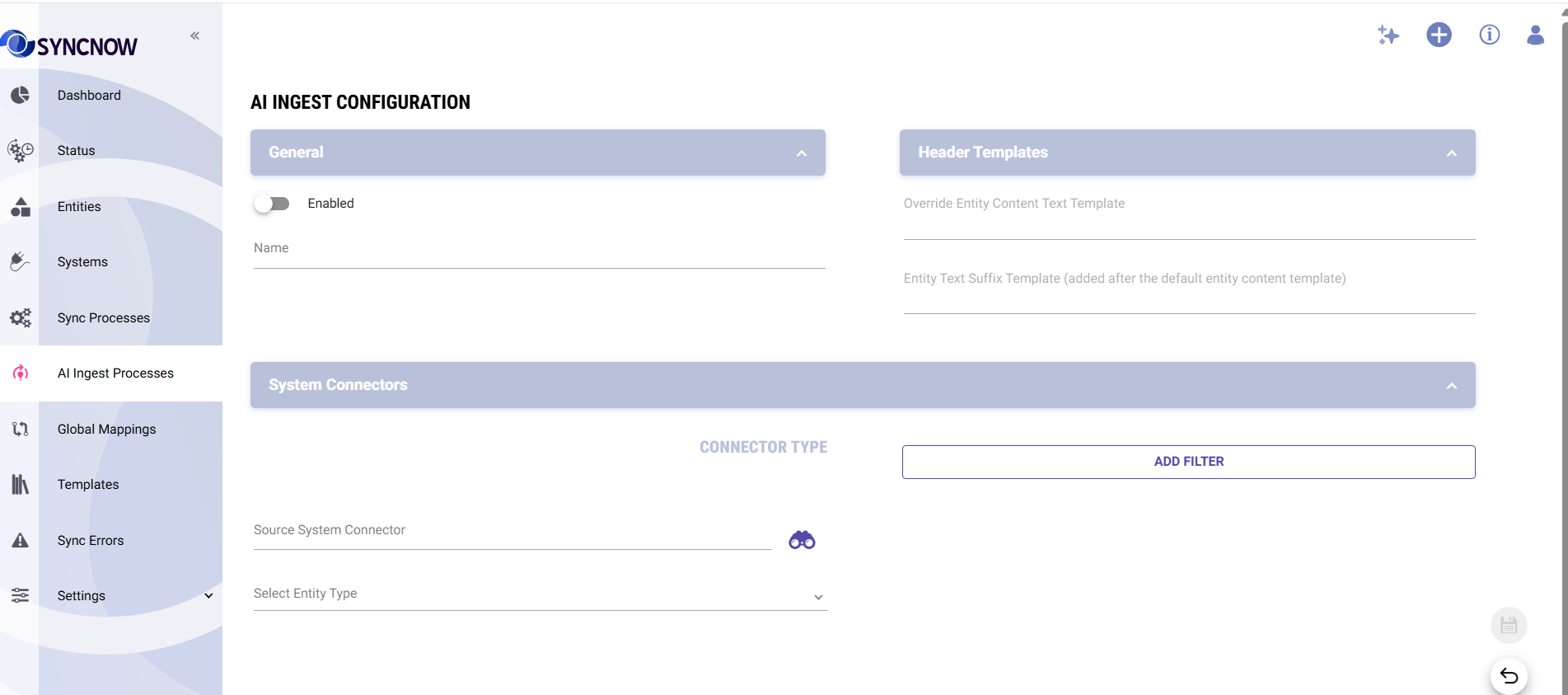
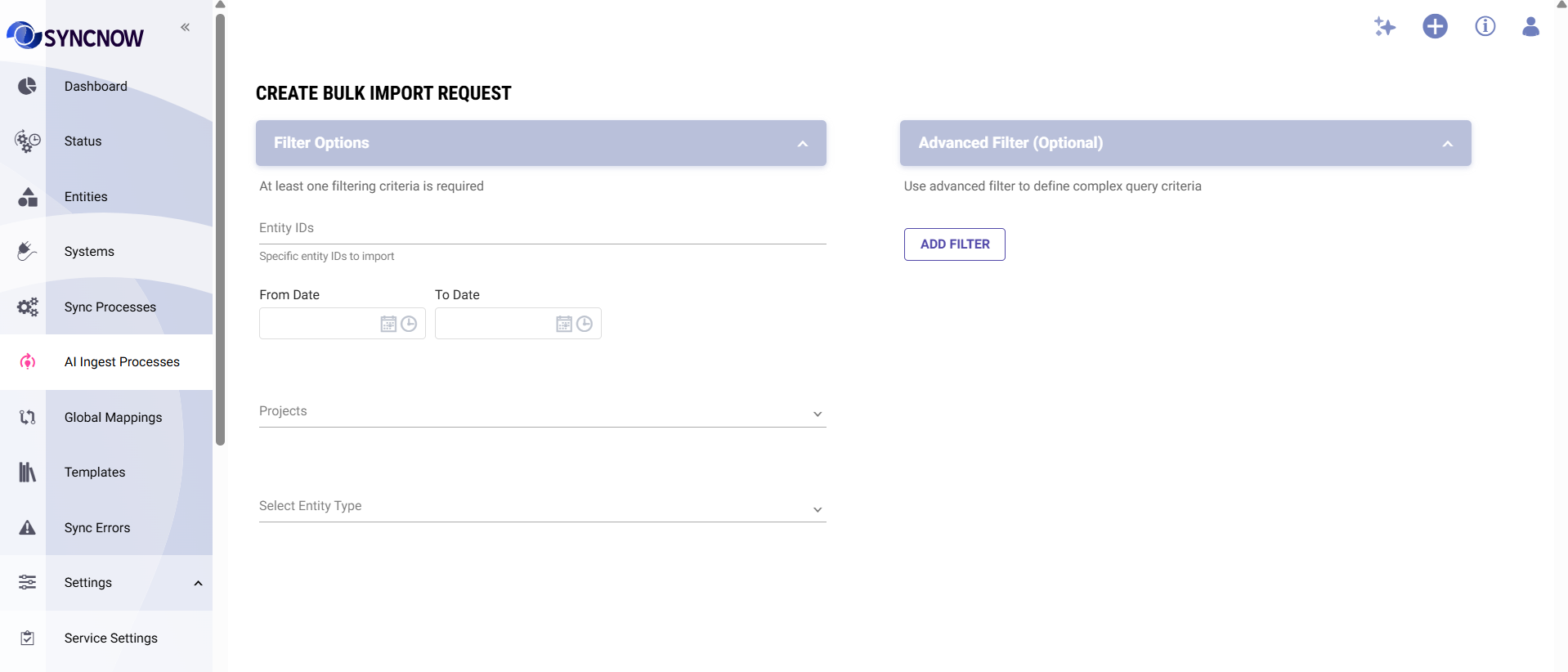
The Knowledge Base also powers advanced analytics not available through live API queries — including status history, trend analysis, and aggregate metrics across all your data.
Learn more → AI Knowledge Base
⚙️ SyncNow Execution Agent
Manage SyncNow operations through conversation. The Execution Agent lets you check sync status, investigate errors, review mappings, and control sync processes — all from the AI chat window.
Example queries:
- "Show sync process status"
- "Why did the Jira sync fail this morning?"
- "List all active field mappings for the Azure DevOps connector"
Learn more → SyncNow Execution Agent
🎨 Rich Media Chat
The AI chat window now renders rich content inline — no exports, no copy-paste.
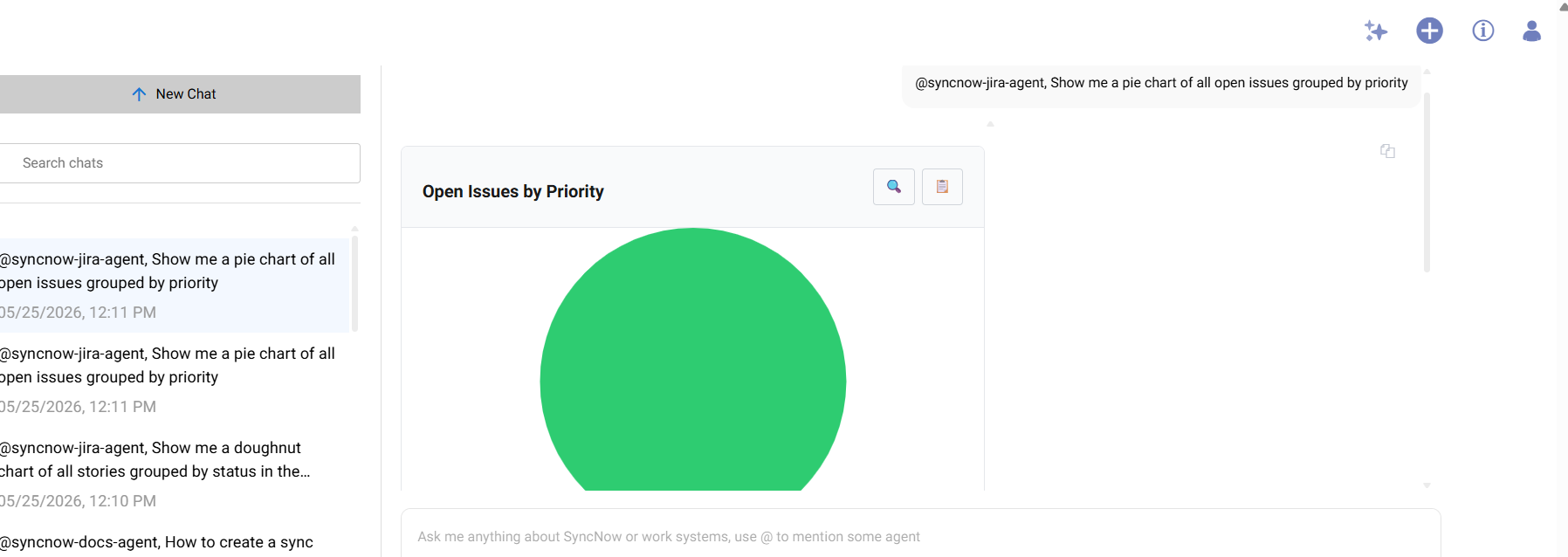
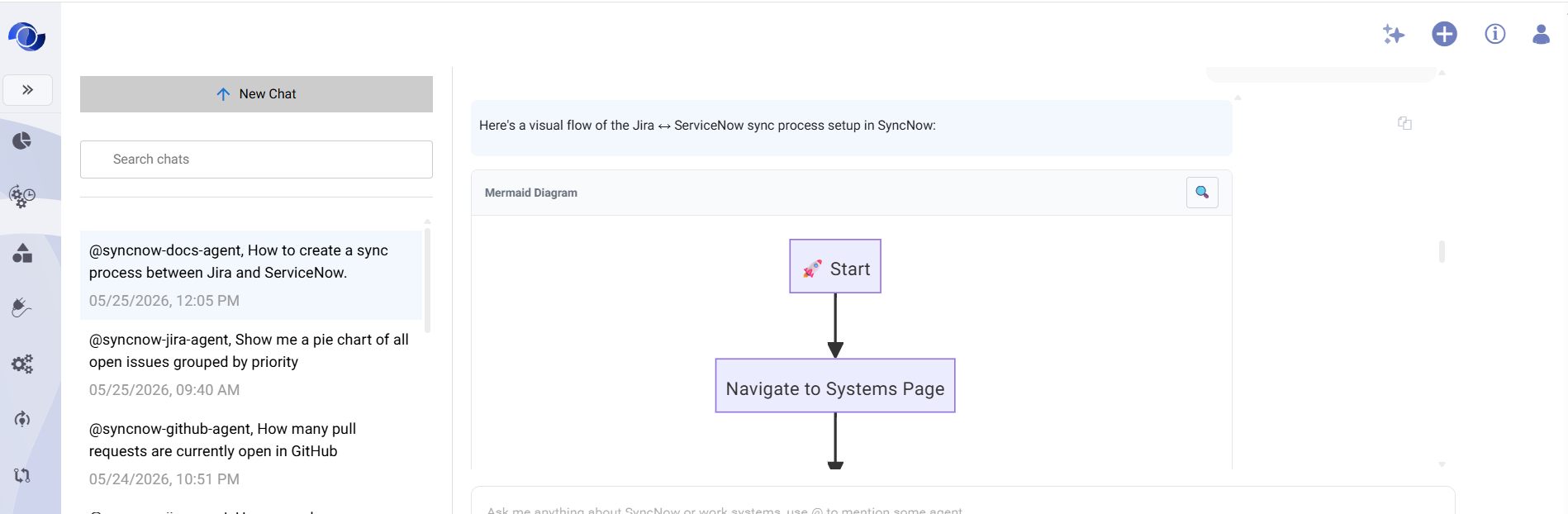
Supported content types:
- Charts and graphs — velocity, burndown, time-in-status distributions
- Mermaid diagrams — dependency trees, workflows, architecture views
- Syntax-highlighted code — field mapping scripts, API examples
- Formatted tables — query results with sortable columns
🔌 MCP Protocol Integration
AI agents are accessible via the Model Context Protocol (MCP), enabling integration with any MCP-compatible platform — including Claude Desktop, custom chatbots, CI/CD pipelines, and internal tools.
Connect your preferred AI frontend to SyncNow's work system knowledge and query capabilities without building custom integrations.
🧪 Xray Test Management — Jira Cloud
SyncNow now supports synchronization of Xray test assets for Jira Cloud with other work systems. Teams using Xray for test management can keep their test cases, test executions, and test plans in sync across platforms.
Supported entity types:
- Test cases
- Test executions
- Test plans
- Test sets
This enables cross-system traceability — linking test results in Xray to bugs or requirements in Azure DevOps, ServiceNow, or any other connected system.
🔐 Multi-Layer AI Security
All AI features enforce a two-layer permission model:
- SyncNow AI permission — controls which users can access AI agents
- Work system permissions — AI agents query using the user's own credentials, so native Jira, Azure DevOps, and ServiceNow security rules are always respected
Learn more → Security & Permissions
SyncNow Release 6.0 — AI-powered work system intelligence